Index
Introduction
Turn your ESP32 into an interactive Dino Runner Game controlled by its physical BOOT button. The ESP32 creates its own Wi-Fi network and hosts the game in a web browser. With WebSocket communication, animated graphics, obstacles, scoring, and increasing difficulty, this project is a fun way to explore the combination of ESP32 hardware and web-based gaming.
Required Components
| Component | Description | Qty |
|---|---|---|
| ESP32 Dev Board | 30/38 Pins | 1 |
| USB Cable | Programming | 1 |
Flash Firmware (Browser-Based)
No Arduino IDE required — flash directly from your browser using Web Serial.
- Click “CONNECT” below
- Hold BOOT button on ESP32 and connect USB
- Select the ESP32 port and click Connect
- Choose “Install OceanLabz ESP32” and click Install
- Wait 2 minutes for completion
ESP32 Firmware
Connect to ESP32
1
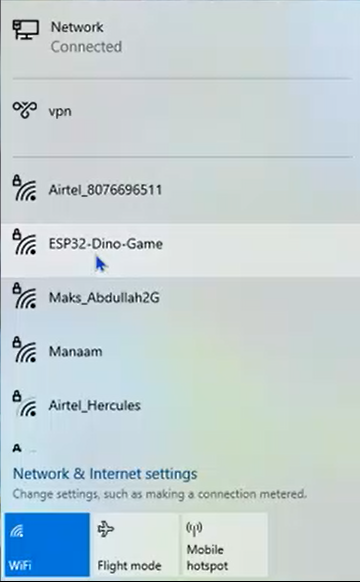
After flashing the firmware, open the Wi-Fi settings on your smartphone or computer and connect to the Wi-Fi network:
2
Wi-Fi Name (SSID): ESP32-Dino-Game
Password: 12345678
3
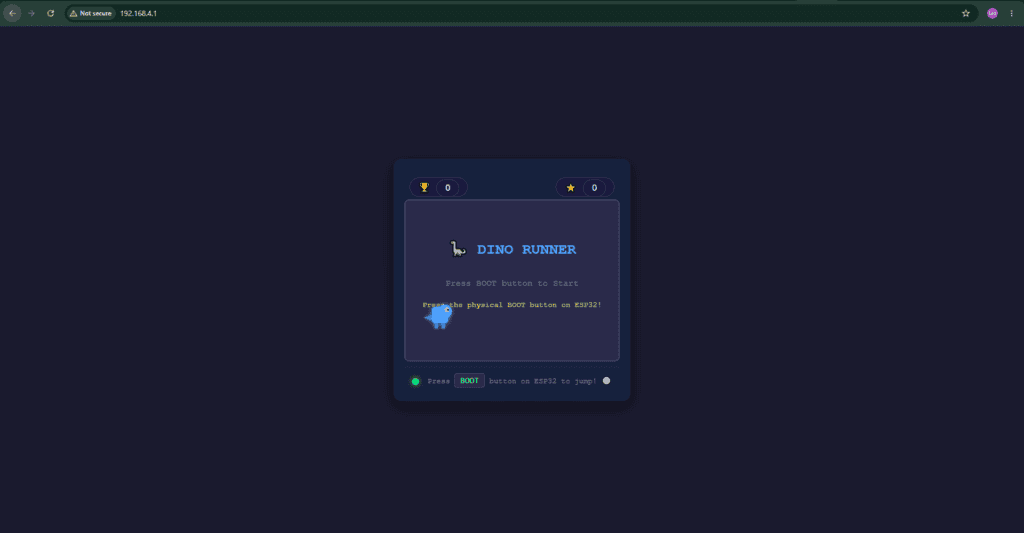
Once connected, open the ESP32’s IP address http://192.168.4.1/ in your web browser to start playing the game.