Index
Introduction
The KY-008 Laser Module emits a focused red laser beam. It can be used in various projects such as obstacle detection, security systems, alignment tools, and optical experiments. The ESP32 can easily control the laser module by turning it ON or OFF through a digital output pin.
Required Components
- ESP32 Board
- KY-008 Laser Module
- Jumper Wires
- Breadboard
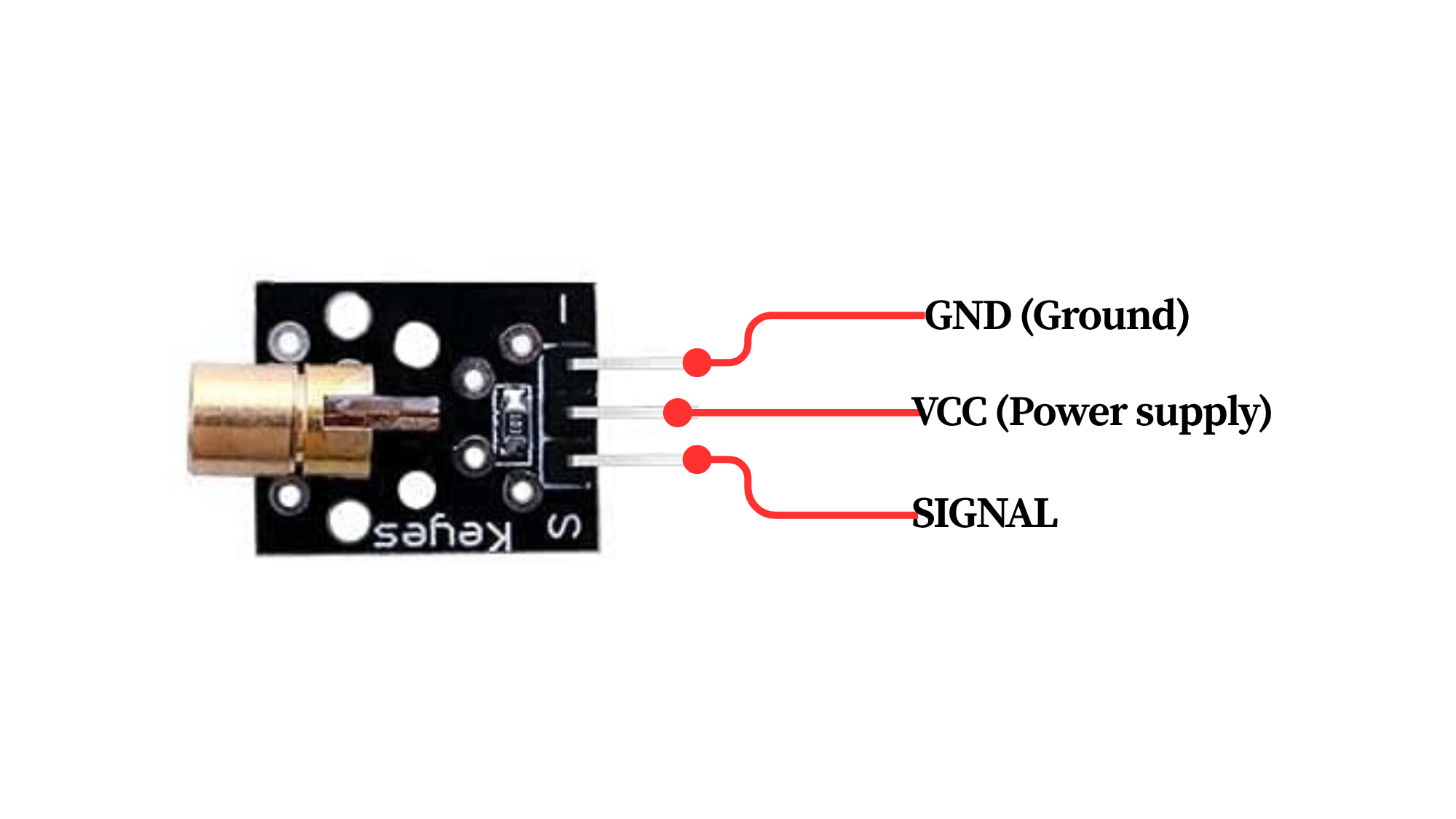
Pinout
Circuit Diagram / Wiring
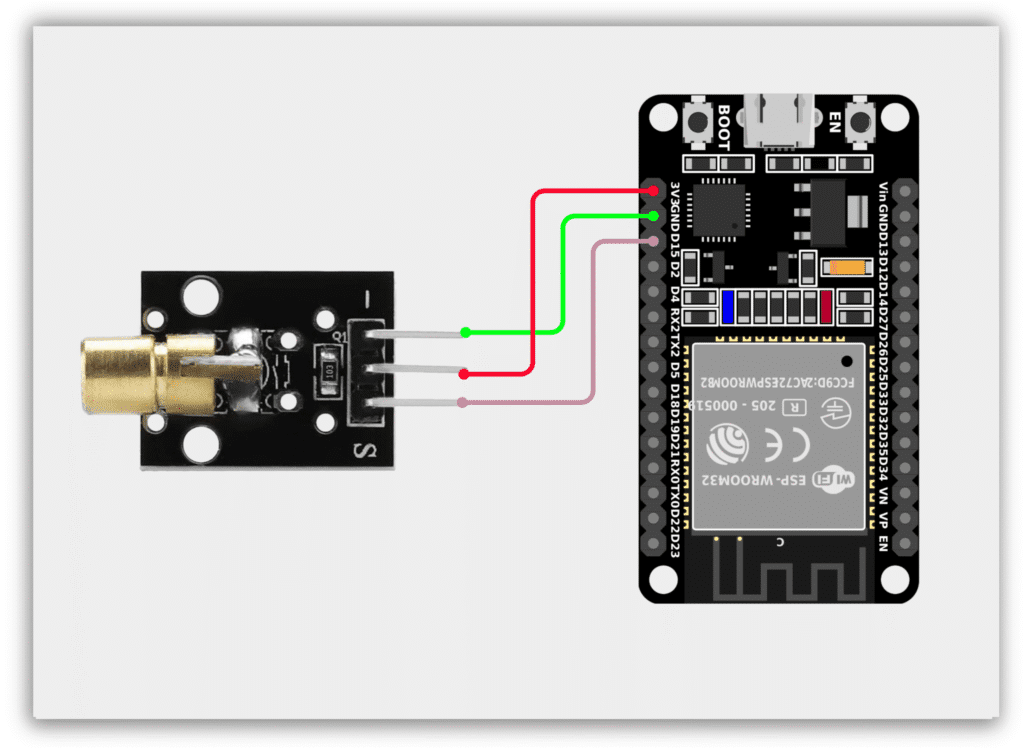
- Laser VCC → 3.3V (ESP32)
- Laser GND → GND (ESP32)
- Laser Signal → GPIO 15 (ESP32)
Code / Programming
/*
  Filename: ol_laser_module.ino
  Description: Controls KY-008 Laser Module using ESP32
  Author: www.oceanlabz.in
  Modification: 1/4/2025
*/

int laserPin = 15;   // Laser KY-008

void setup() {
  pinMode(laserPin, OUTPUT);
  Serial.begin(115200);
}

void loop() {
  digitalWrite(laserPin, HIGH);   // Turn ON laser
  Serial.println("Laser ON");
  delay(1000);

  digitalWrite(laserPin, LOW);    // Turn OFF laser
  Serial.println("Laser OFF");
  delay(1000);
}
Explanation
- The KY-008 Laser Module is a low-power red laser transmitter that can be controlled directly by the ESP32.
- The ESP32 sends a HIGH signal to the laser module, turning the laser beam ON.
- When the ESP32 sends a LOW signal, the laser beam turns OFF.
- This simple control method allows the laser module to be used in signaling, alignment, and detection projects.
Troubleshooting
- Ensure the KY-008 laser module is connected properly (Signal to GPIO 15, VCC to 3.3V, and GND to GND).
- If the laser does not turn ON, verify the wiring connections and power supply.
- Check that the correct GPIO pin is defined in the code.
- Upload the code again and monitor the Serial Monitor for status messages.