Index
Introduction
The Water Level Sensor is used to detect and measure the level of water in a tank or container. It provides an analog output that changes according to the amount of water in contact with the sensor. The ESP32 can read this analog value and determine the water level for monitoring and automation applications. In this tutorial, we’ll interface a Water Level Sensor with the ESP32 and display the water level readings on the Serial Monitor.
Required Components
- ESP32 Board
- Water Level Sensor
- Jumper wires
- Breadboard
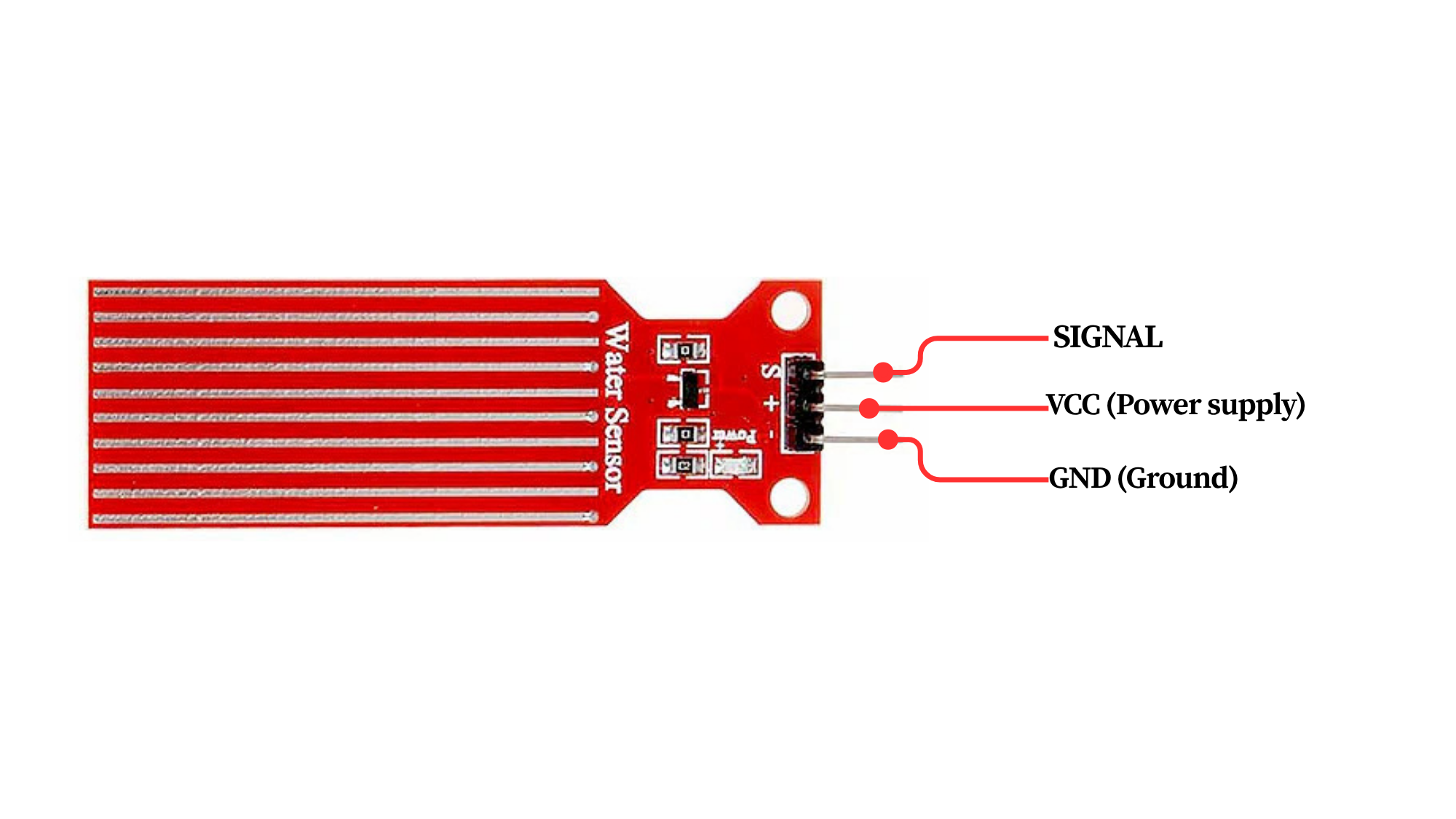
Pinout
Circuit Diagram / Wiring
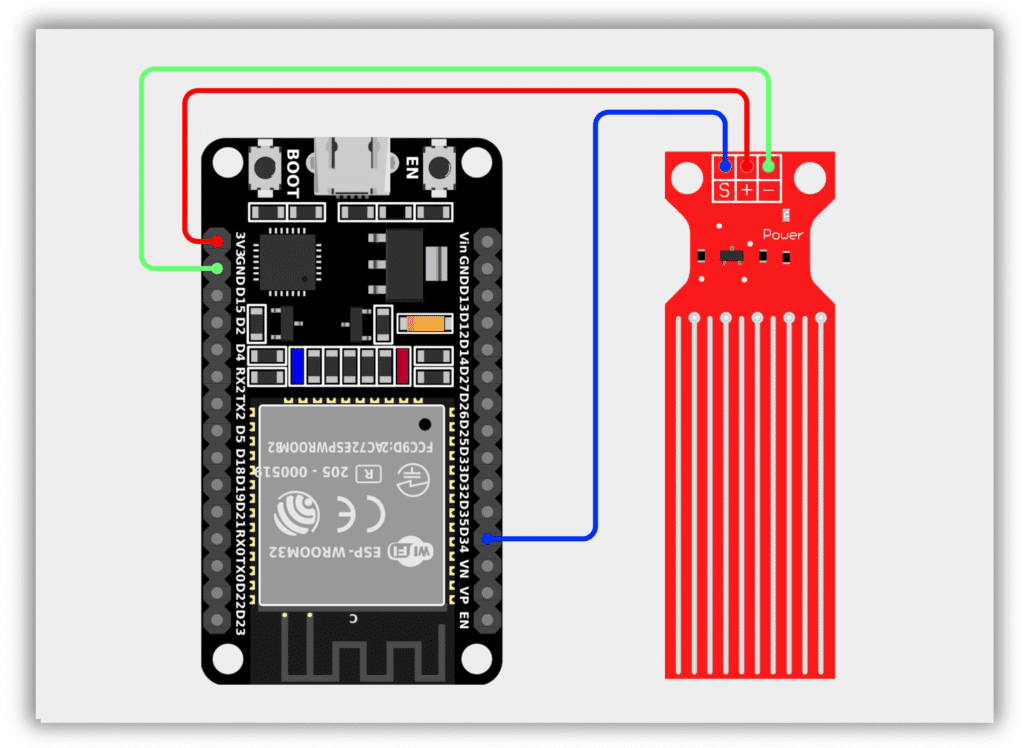
- Water Level Sensor VCC → 3.3V (ESP32)
- Water Level Sensor GND → GND (ESP32)
- Water Level Sensor S → GPIO 34 (ESP32)
Code / Programming
/*
  Filename: ol_water_level_sensor.ino
  Description: Reads water level sensor value and prints it via Serial Monitor
  Author: www.oceanlabz.in
  Modification: 1/4/2025
*/

#define WATER_SENSOR_PIN 34

void setup() {
  Serial.begin(115200);
}

void loop() {
  int waterLevel = analogRead(WATER_SENSOR_PIN);

  Serial.print("Water Level: ");
  Serial.println(waterLevel);

  delay(500);
}
Explanation
- The WATER_SENSOR_PIN reads the analog value generated by the water level sensor.
- As more of the sensor comes into contact with water, the analog value increases.
- The ESP32 continuously reads the sensor value and displays it on the Serial Monitor.
- The displayed value can be used to estimate the current water level.
Troubleshooting
- Ensure that the sensor is powered correctly (VCC to 3.3V and GND to GND) and that the signal pin is connected to GPIO 34.
- If the sensor always reads zero, verify the wiring connections and ensure that the sensing area is in contact with water.
- If the readings fluctuate significantly, check the power supply and ensure stable sensor connections.
- If no readings appear in the Serial Monitor, verify that the correct COM port and ESP32 board are selected in the Arduino IDE.