Index
Introduction
Infrared (IR) remotes are commonly used to control electronic devices. They work by emitting infrared light signals that are decoded by an IR receiver. The ESP32 can read these signals and identify which button on the remote has been pressed. In this tutorial, we’ll interface an IR remote with the ESP32 and read the button codes using the Serial Monitor.
Required Components
- ESP32 Board
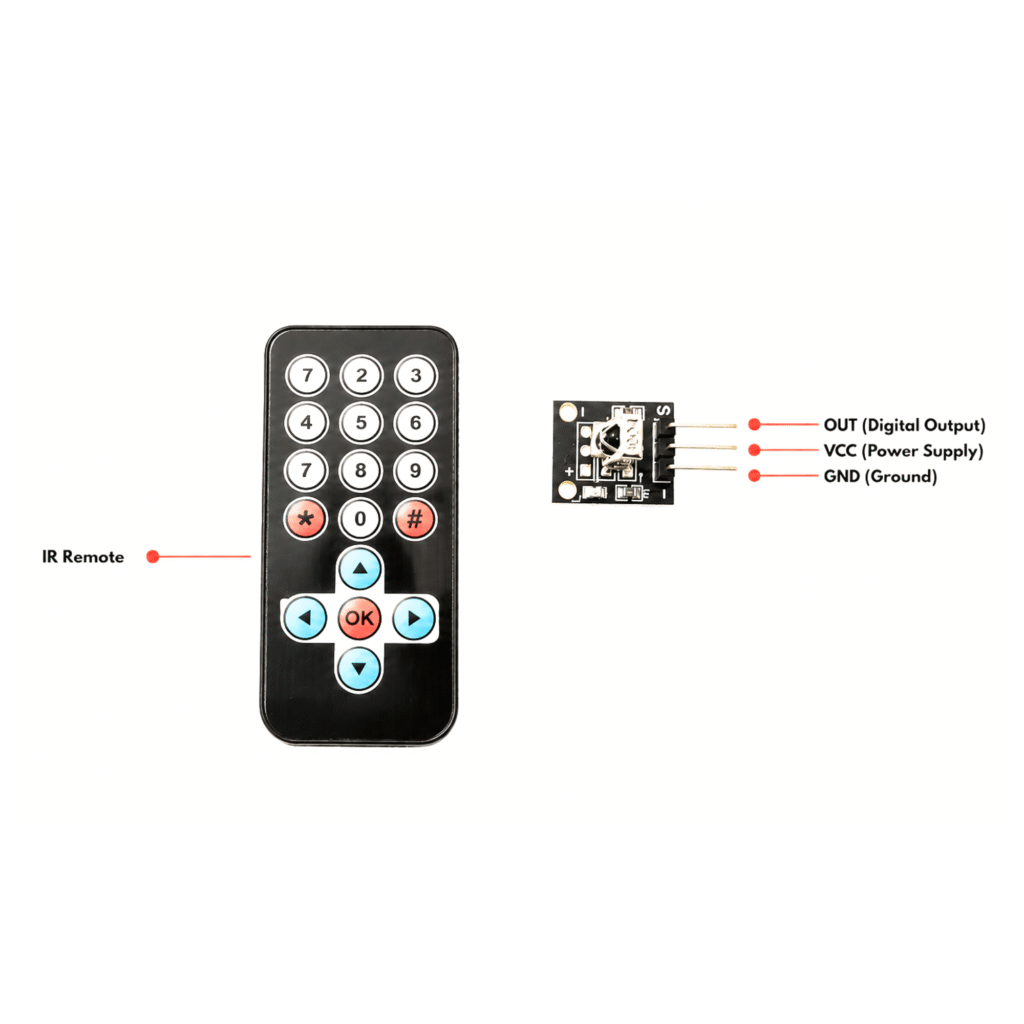
- IR Remote Control
- IR Receiver Module
- Jumper Wires
- Breadboard
Pinout
Circuit Diagram / Wiring
IR Receiver
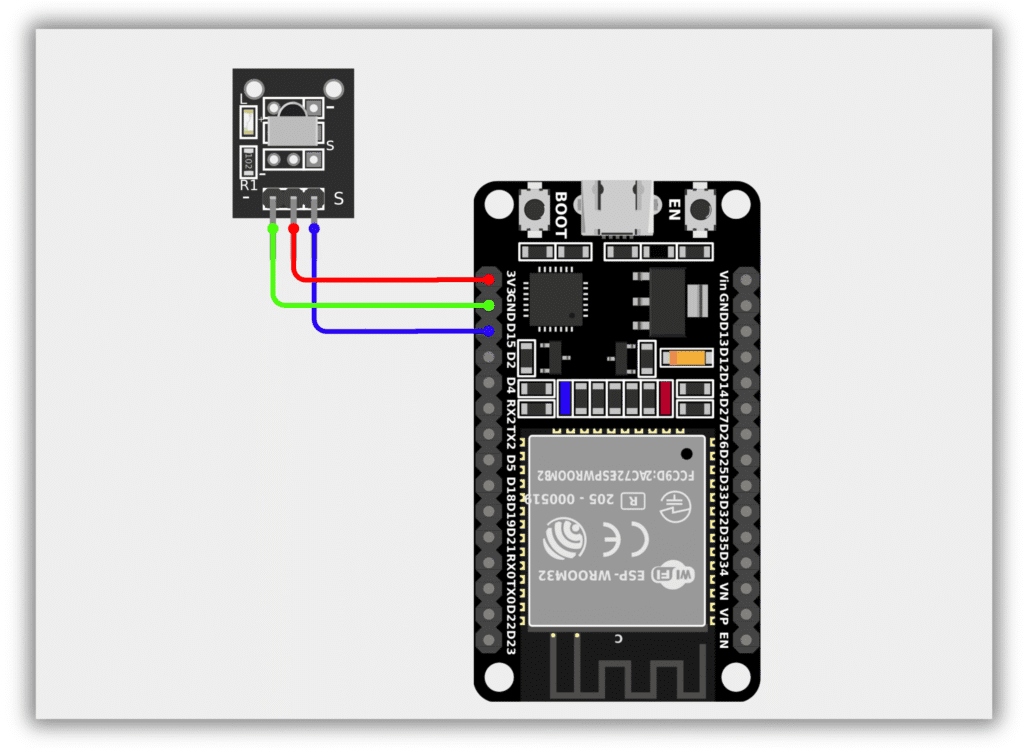
- IR Receiver SIGNAL → GPIO 15 (ESP32)
- IR Receiver VCC → 3.3V (ESP32)
- IR Receiver GND → GND (ESP32)
Code / Programming
/*
  Filename: ol_ir_remote.ino
  Description: Reads IR remote signals using ESP32
  Author: www.oceanlabz.in
  Modification: 1/4/2025
*/

#include <IRremote.hpp>

#define RECV_PIN 15

void setup() {
  Serial.begin(115200);

  // Initialize IR Receiver
  IrReceiver.begin(RECV_PIN, ENABLE_LED_FEEDBACK);
}

void loop() {
  if (IrReceiver.decode()) {

    Serial.print("Received Value: ");
    Serial.println(IrReceiver.decodedIRData.decodedRawData, HEX);

    // Ready to receive the next signal
    IrReceiver.resume();
  }
}
Explanation
- The IR receiver detects infrared signals transmitted by the remote control.
- The ESP32 decodes the received signal using the IRremote library.
- Each button on the remote transmits a unique hexadecimal code.
- The received code is displayed on the Serial Monitor, allowing you to identify each button for future projects.
Troubleshooting
- Ensure the IRremote library is installed correctly.
- Verify the IR receiver is connected to GPIO 15 and powered from 3.3V.
- If no values appear in the Serial Monitor, check the remote battery and ensure the IR receiver has a clear line of sight to the remote.
- If random values appear, avoid direct sunlight or other strong infrared sources near the receiver.
- Make sure the Serial Monitor baud rate is set to 115200 to match the program.