Index
Introduction
The DS3231 is a highly accurate real-time clock (RTC) module for ESP32, featuring an I2C interface for easy connectivity. It is ideal for applications requiring precise timekeeping, such as clocks and timers. Here’s a guide on reading the current date and time using ESP32 with the DS3231 module.
Required Components
- ESP32 Board
- DS3231 RTC Module
- Jumper Wires
- Breadboard (Optional)
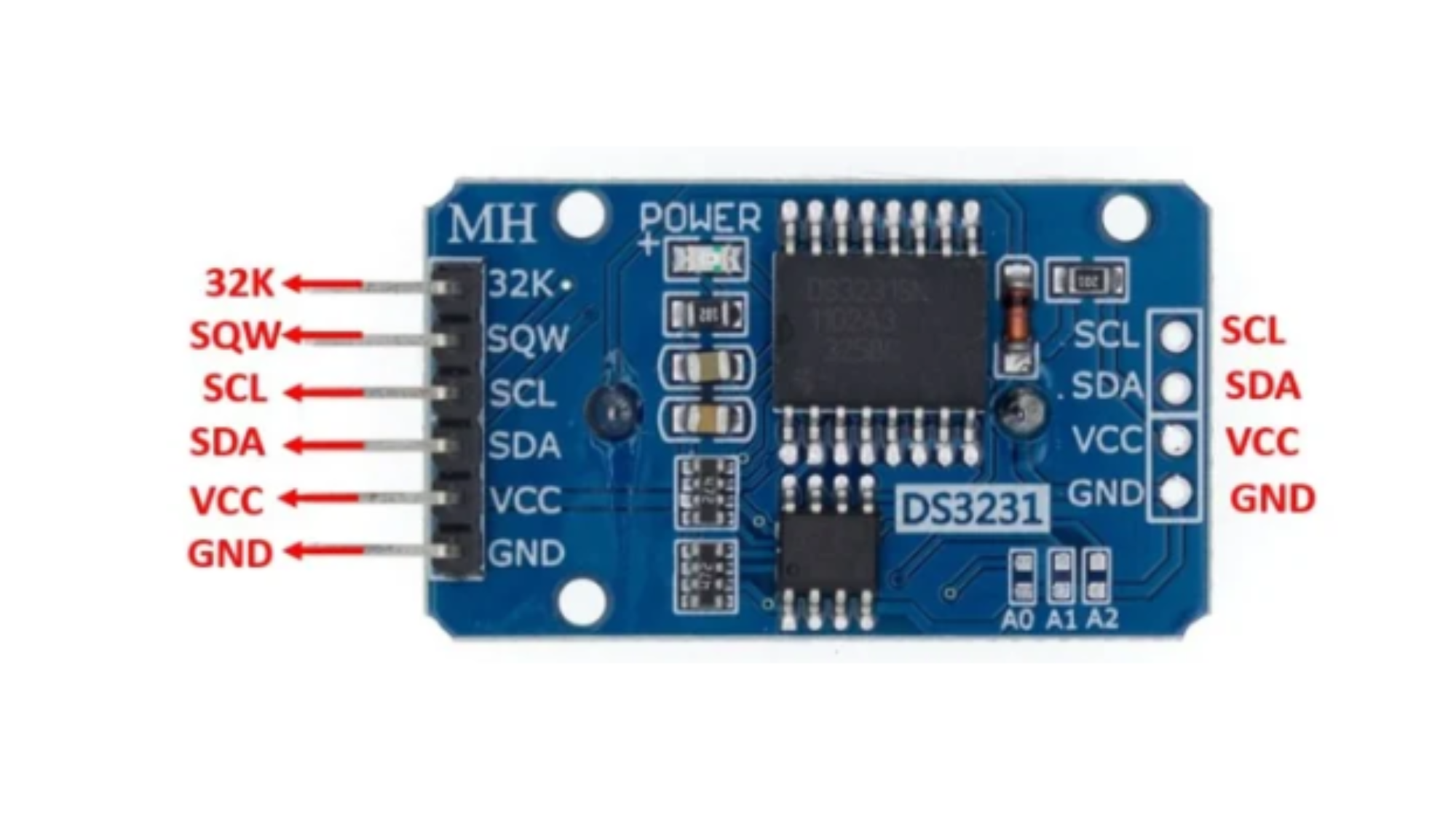
Pinout
Circuit Diagram / Wiring
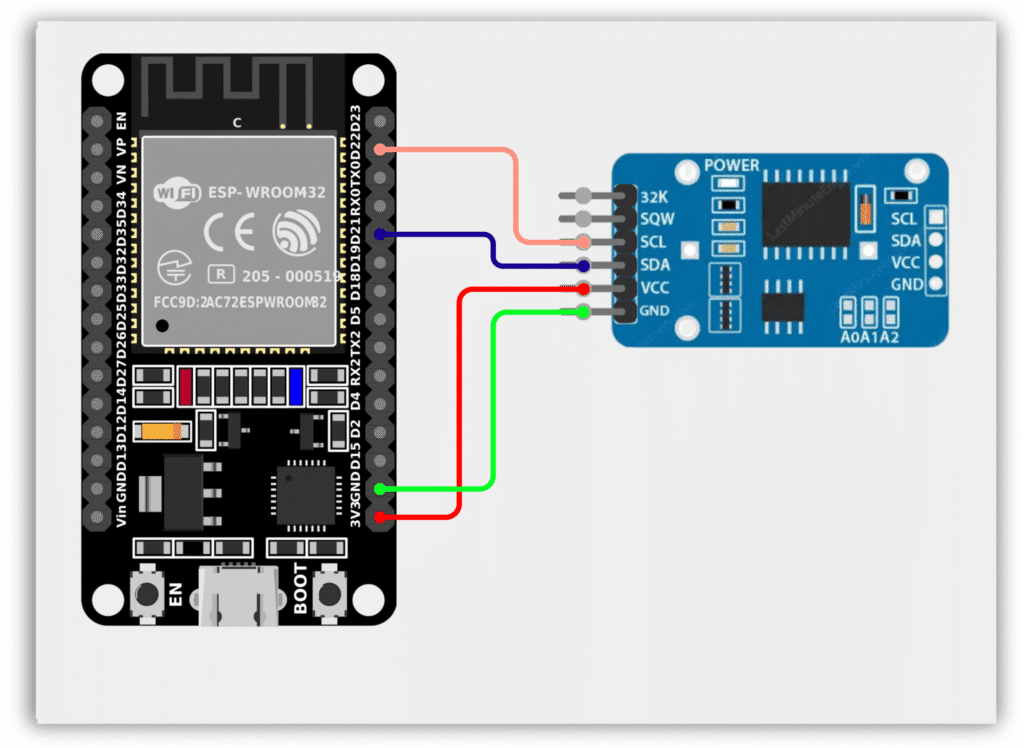
- RTC VCC → 3.3V (ESP32)
- RTC GND → GND (ESP32)
- RTC SDA → GPIO 21 (ESP32)
- RTC SCL → GPIO 22 (ESP32)
Code / Programming
/*
  Filename: ol_ds3231_rtc.ino
  Description: Reads current date and time from DS3231 RTC Module
  Author: www.oceanlabz.in
  Modification: 1/4/2025
*/

#include <Wire.h>
#include "RTClib.h"

// Create an RTC object
RTC_DS3231 rtc;

void setup() {
  Serial.begin(115200);
  Wire.begin(21, 22); // SDA, SCL

  // Initialize the RTC
  if (!rtc.begin()) {
    Serial.println("Couldn't find RTC");
    while (1);
  }

  // Check if the RTC lost power and set the time
  if (rtc.lostPower()) {
    Serial.println("RTC lost power, let's set the time!");

    // Set RTC to compile time
    rtc.adjust(DateTime(F(__DATE__), F(__TIME__)));

    // Alternatively:
    // rtc.adjust(DateTime(2025, 4, 1, 15, 0, 0));
  }
}

void loop() {
  // Get the current date and time
  DateTime now = rtc.now();

  // Print date and time
  Serial.print(now.year(), DEC);
  Serial.print('/');

  Serial.print(now.month(), DEC);
  Serial.print('/');

  Serial.print(now.day(), DEC);
  Serial.print(" ");

  Serial.print(now.hour(), DEC);
  Serial.print(':');

  Serial.print(now.minute(), DEC);
  Serial.print(':');

  Serial.print(now.second(), DEC);

  Serial.println();

  delay(1000);
}
Explanation
- The code initializes a DS3231 RTC (Real-Time Clock) module with the ESP32 to keep track of the current date and time.
- In the
setup()function, the RTC is checked for proper connection, and if it has lost power, it sets the time to the compilation date and time. - The
loop()function continuously retrieves the current date and time from the RTC and prints it to the Serial Monitor every second.
Troubleshooting
- Ensure the DS3231 module is powered correctly (VCC to 3.3V and GND to GND).
- Verify that SDA is connected to GPIO 21 and SCL is connected to GPIO 22.
- Install the RTClib library by Adafruit using the Arduino Library Manager.
- If “Couldn’t find RTC” appears in the Serial Monitor, check the I2C wiring and module connections.
- If the displayed time resets after power loss, ensure the CR2032 backup battery is installed correctly and has sufficient charge.