Index
Introduction
The YL-99 Impact Switch Sensor is a simple vibration and collision detection sensor that generates a digital signal when it experiences a shock, tap, or impact. It is commonly used in security systems, vibration detection projects, collision sensing, and automation applications. The ESP32 can read the sensor’s digital output and determine when an impact has occurred. In this tutorial, we’ll interface a YL-99 Impact Switch Sensor with the ESP32 and monitor impact events through the Serial Monitor.
Required Components
- ESP32 Board
- YL-99 Impact Switch Sensor
- Jumper Wires
- Breadboard
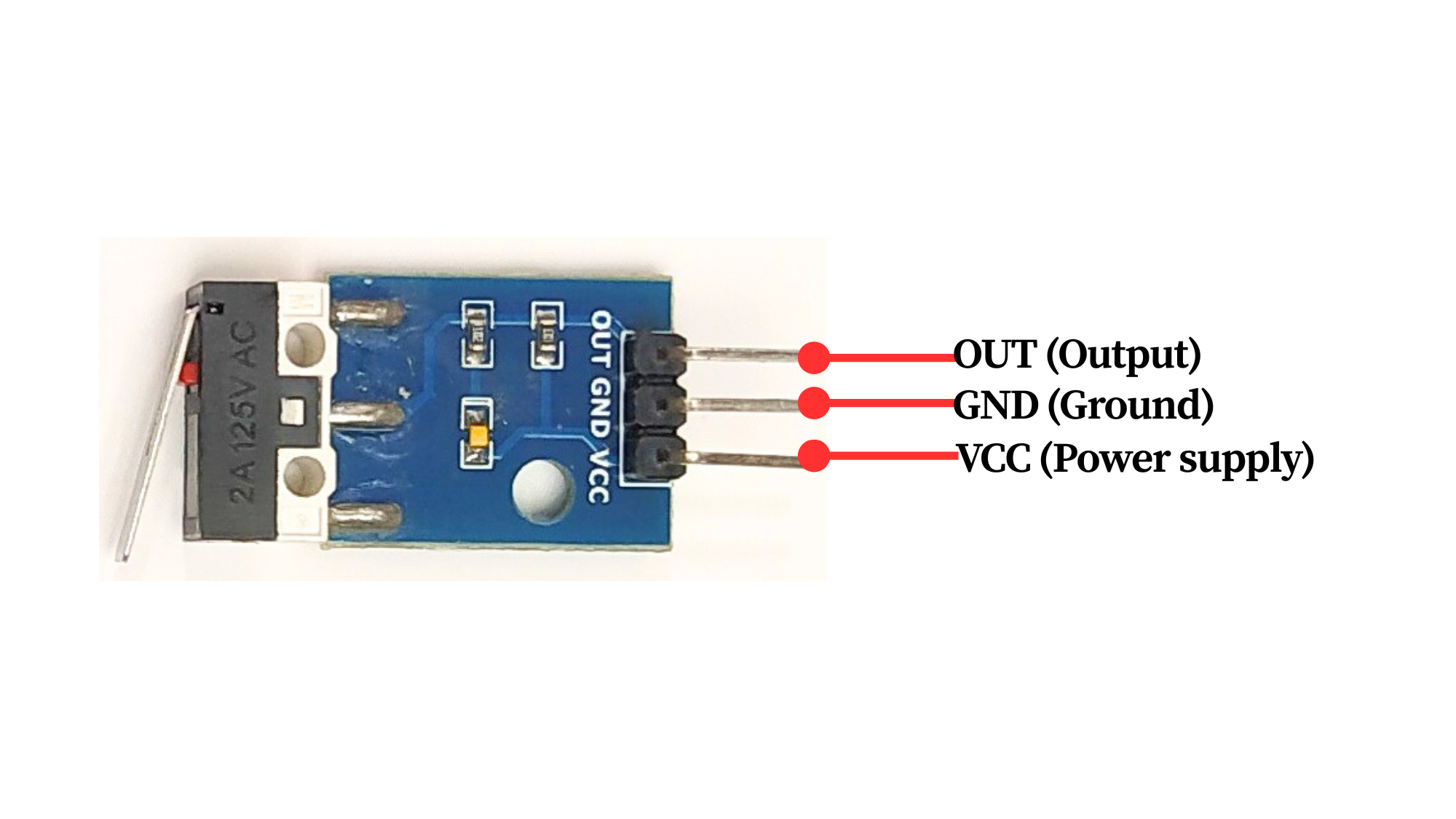
Pinout
Circuit Diagram / Wiring
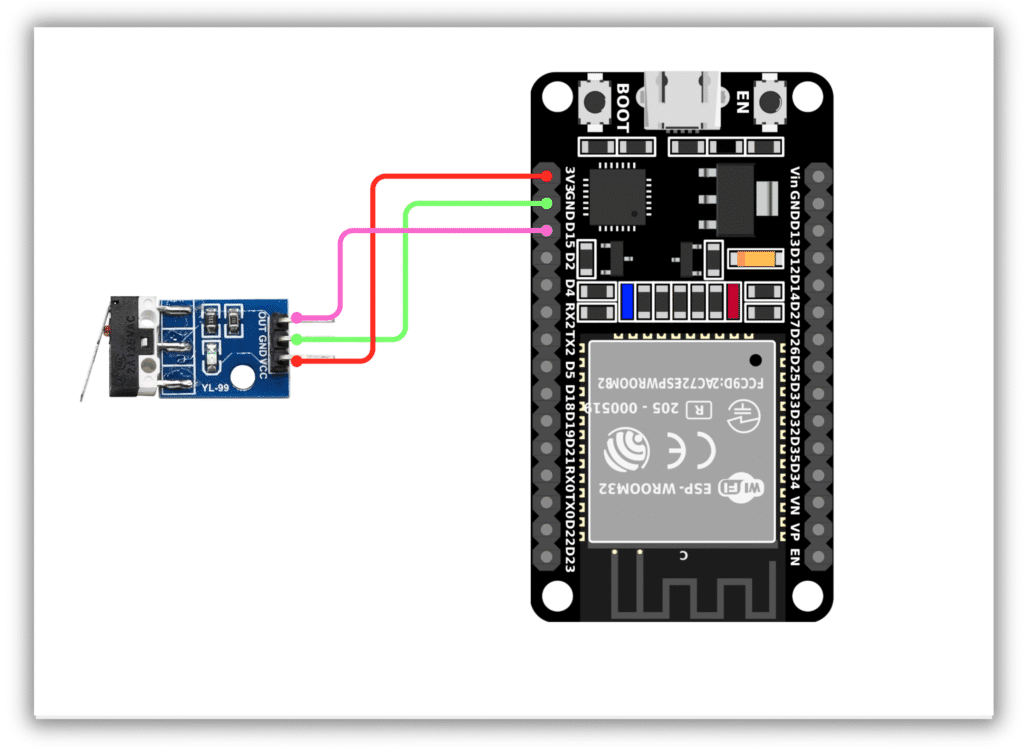
- YL-99 Sensor VCC → 3.3V (ESP32)
- YL-99 Sensor GND → GND (ESP32)
- YL-99 Sensor OUT → GPIO 15 (ESP32)
Code / Programming
/*
Filename: ol_yl99_impact_sensor.ino
Description: Reads YL-99 Impact Switch Sensor and prints impact status via Serial Monitor
Author: www.oceanlabz.in
Modification: 1/4/2025
*/

#define IMPACT_SENSOR_PIN 15

void setup() {
  Serial.begin(115200);
  pinMode(IMPACT_SENSOR_PIN, INPUT);
}

void loop() {
  int sensorState = digitalRead(IMPACT_SENSOR_PIN);

  if (sensorState == LOW) {
    Serial.println("Impact Detected");
  } else {
    Serial.println("No Impact");
  }

  delay(500);
}
Explanation
- The IMPACT_SENSOR_PIN reads the digital output from the YL-99 Impact Switch Sensor.
- When the sensor experiences a shock, tap, or collision, its internal contacts momentarily change state.
- The ESP32 continuously monitors the sensor output and detects impact events.
- The impact status is displayed on the Serial Monitor.
Troubleshooting
- Ensure that the sensor is powered correctly (VCC to 3.3V and GND to GND) and that the output pin is connected to GPIO 15.
- If impacts are not detected, check the wiring and gently tap the sensor during testing.
- If the sensor triggers continuously, ensure it is mounted securely and away from excessive vibrations.
- If no messages appear in the Serial Monitor, verify that the correct COM port and ESP32 board are selected in the Arduino IDE.