Index
Introduction
The KY-031 Tap Sensor is a vibration and knock detection module that generates a digital signal when it detects a tap, knock, or sudden vibration. It uses a spring-based sensor to detect mechanical shocks and sends a signal to the ESP32. Tap sensors are commonly used in security systems, vibration monitoring, impact detection, and automation projects. In this tutorial, we’ll interface a KY-031 Tap Sensor with the ESP32 and monitor tap events through the Serial Monitor.
Required Components
- ESP32 Board
- KY-031 Tap Sensor Module
- Jumper Wires
- Breadboard
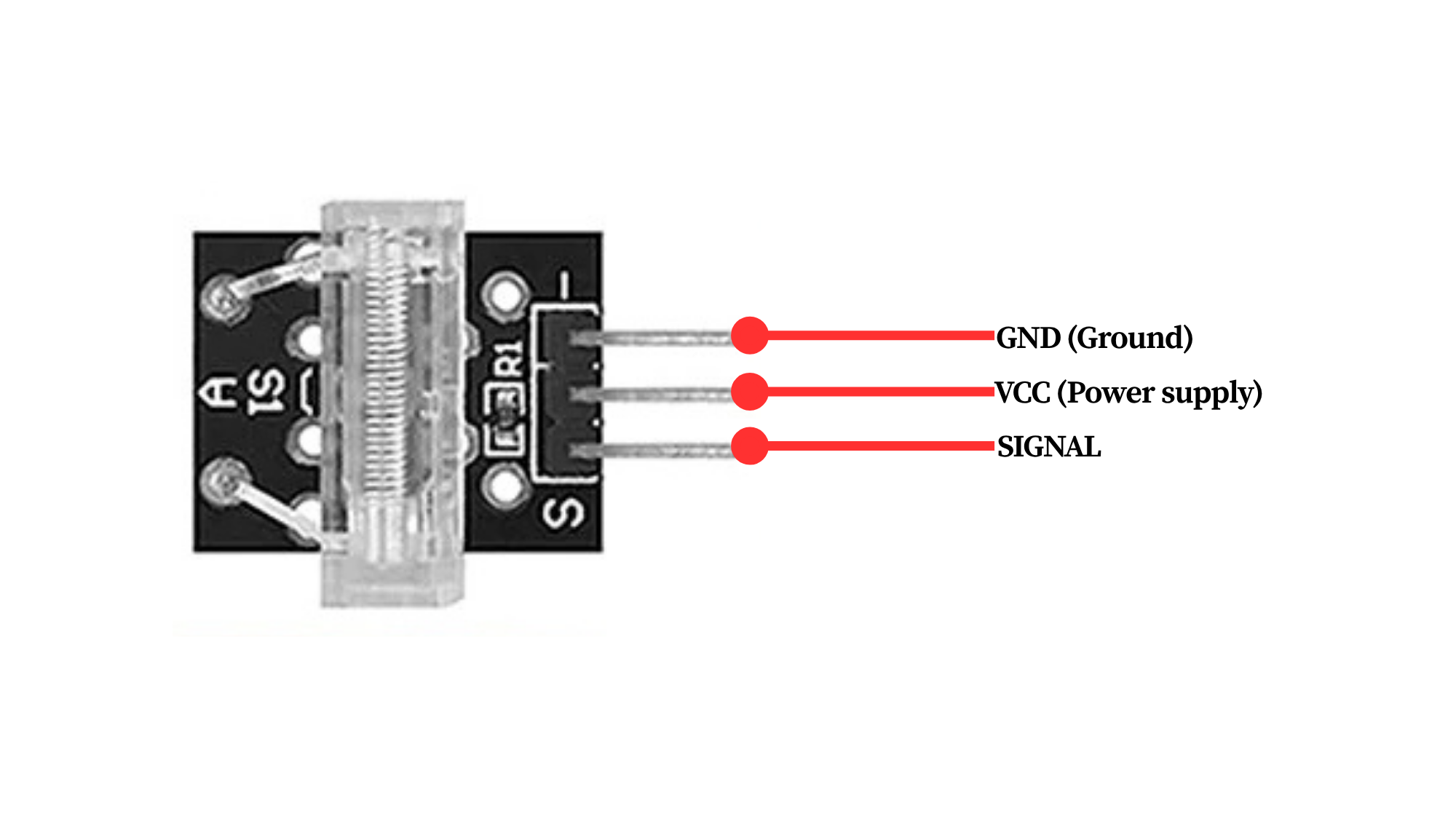
Pinout
Circuit Diagram / Wiring
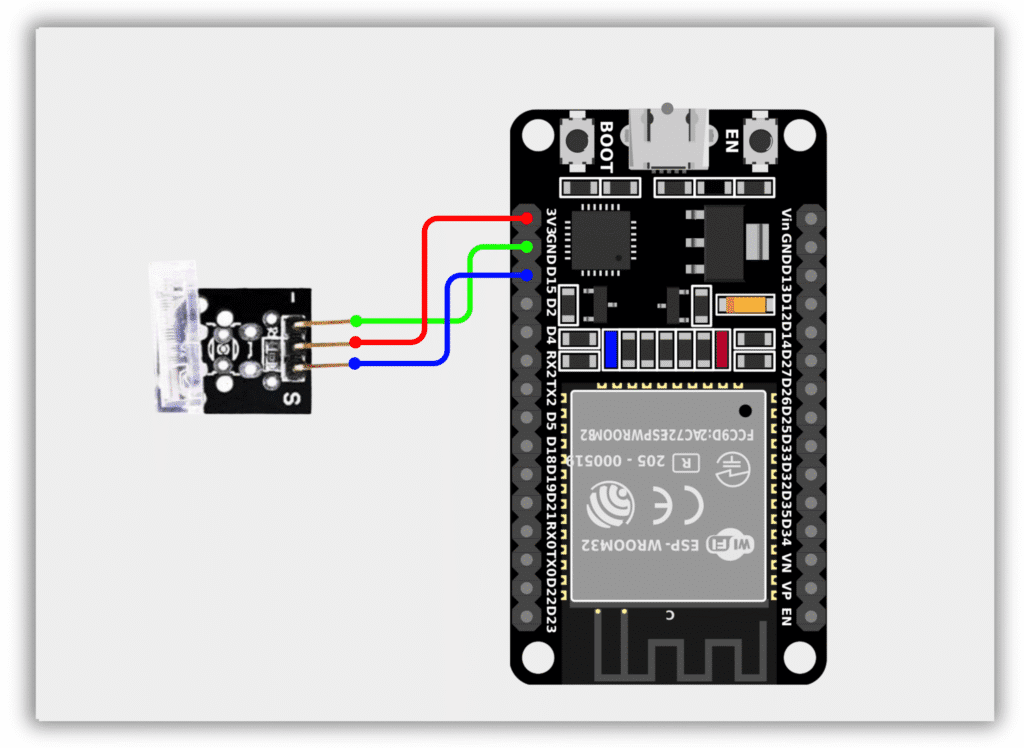
- KY-031 VCC → 3.3V (ESP32)
- KY-031 GND → GND (ESP32)
- KY-031 OUT → GPIO 15 (ESP32)
Code / Programming
/*
  Filename: ol_tap_sensor.ino
  Description: Reads KY-031 Tap Sensor and prints detection status via Serial Monitor
  Author: www.oceanlabz.in
  Modification: 1/4/2025
*/

#define TAP_SENSOR_PIN 15

void setup() {
  Serial.begin(115200);
  pinMode(TAP_SENSOR_PIN, INPUT);
}

void loop() {
  int sensorState = digitalRead(TAP_SENSOR_PIN);

  if (sensorState == HIGH) {
    Serial.println("Tap Detected");
  } else {
    Serial.println("No Tap");
  }

  delay(500);
}
Explanation
- The TAP_SENSOR_PIN reads the digital output from the KY-031 Tap Sensor.
- When the sensor detects a tap, knock, or vibration, the internal spring mechanism changes state and generates a digital signal.
- The ESP32 continuously monitors the sensor output and detects tap events.
- The detection status is displayed on the Serial Monitor.
Troubleshooting
- Ensure that the sensor is powered correctly (VCC to 3.3V and GND to GND) and that the output pin is connected to GPIO 15.
- If taps are not detected, gently tap the sensor module and verify the wiring connections.
- If the sensor triggers continuously, ensure it is mounted securely and away from excessive vibrations.
- If no messages appear in the Serial Monitor, verify that the correct COM port and ESP32 board are selected in the Arduino IDE.