Index
Introduction
The BMP180 is a digital barometric pressure sensor capable of measuring atmospheric pressure, altitude, and temperature. It communicates with the ESP32 using the I2C interface, making it easy to integrate into weather stations, altitude measurement systems, and environmental monitoring projects. In this tutorial, we’ll interface the BMP180 sensor with the ESP32 and display temperature, pressure, and altitude readings on the Serial Monitor.
Required Components
- ESP32 Board
- BMP180 Sensor Module
- Jumper Wires
- Breadboard
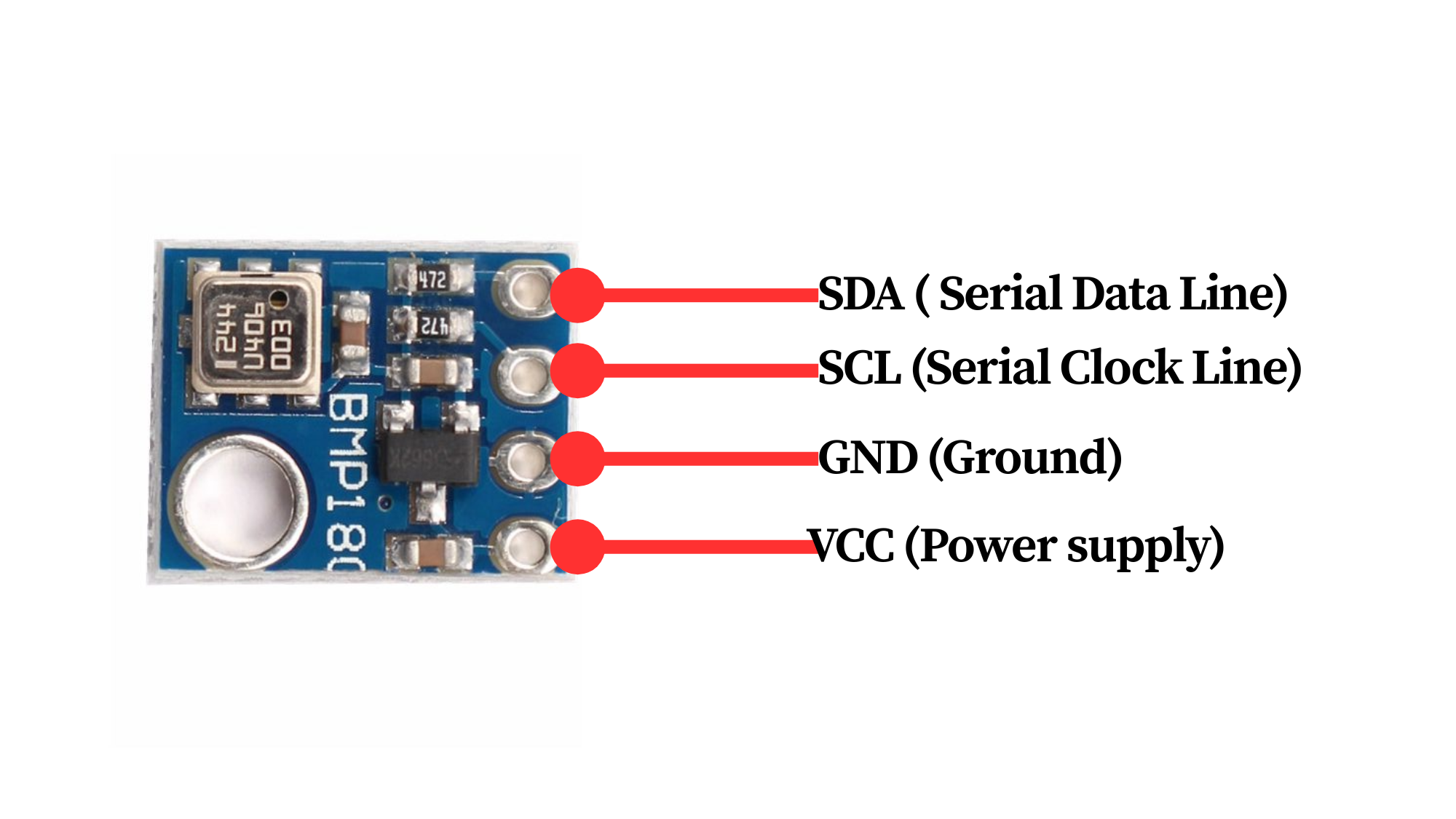
Pinout
Circuit Diagram / Wiring
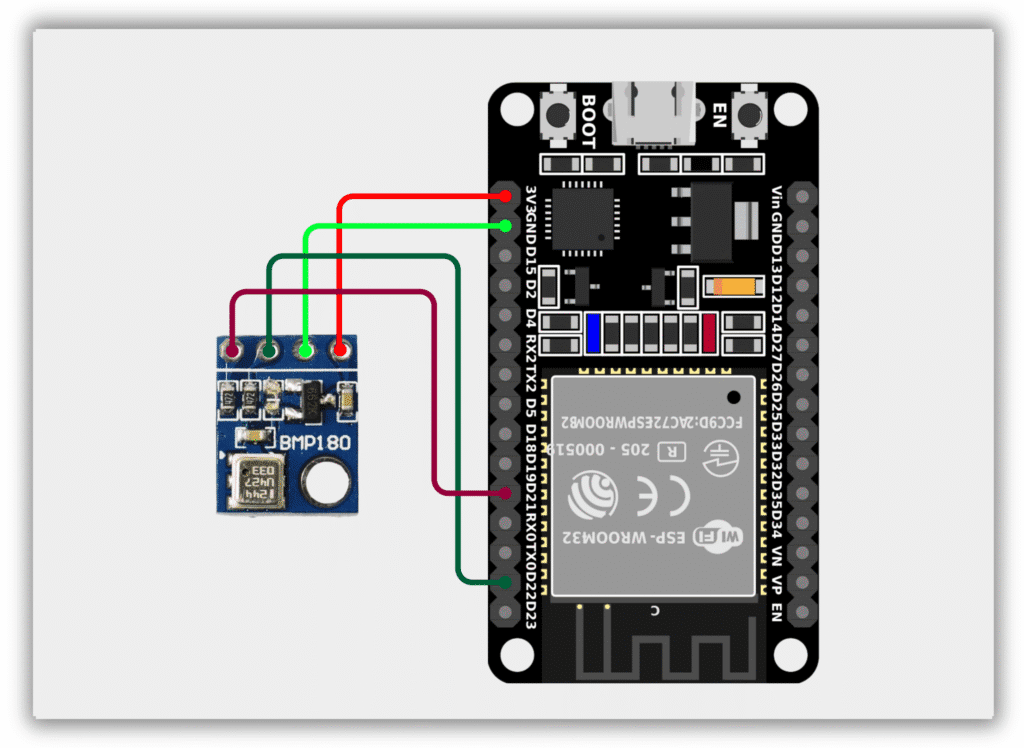
- BMP180 VCC → 3.3V (ESP32)
- BMP180 GND → GND (ESP32)
- BMP180 SDA → GPIO 21 (ESP32)
- BMP180 SCL → GPIO 22 (ESP32)
Code / Programming
/*
  Filename: ol_bmp180_sensor.ino
  Description: Reads temperature, pressure, and altitude from BMP180 sensor
  Author: www.oceanlabz.in
  Modification: 1/4/2025
*/

#include <Wire.h>
#include <Adafruit_BMP085.h>

Adafruit_BMP085 bmp;

void setup() {
  Serial.begin(115200);

  Wire.begin(21, 22);

  if (!bmp.begin()) {
    Serial.println("BMP180 not detected");
    while (1);
  }
}

void loop() {
  Serial.print("Temperature = ");
  Serial.print(bmp.readTemperature());
  Serial.println(" °C");

  Serial.print("Pressure = ");
  Serial.print(bmp.readPressure());
  Serial.println(" Pa");

  Serial.print("Altitude = ");
  Serial.print(bmp.readAltitude());
  Serial.println(" m");

  Serial.println();

  delay(2000);
}
Explanation
- The BMP180 communicates with the ESP32 through the I2C interface using GPIO 21 (SDA) and GPIO 22 (SCL).
- The sensor measures atmospheric pressure and temperature internally.
- The ESP32 calculates altitude based on the measured atmospheric pressure.
- The temperature, pressure, and altitude values are displayed on the Serial Monitor every two seconds.
Troubleshooting
- Ensure that the BMP180 module is powered correctly (VCC to 3.3V and GND to GND).
- Verify that SDA is connected to GPIO 21 and SCL is connected to GPIO 22.
- Install the Adafruit BMP085/BMP180 library using the Arduino Library Manager.
- If “BMP180 not detected” appears in the Serial Monitor, check the I2C wiring and sensor connections.
- If no readings appear, verify that the correct COM port and ESP32 board are selected in the Arduino IDE.