
Index
What is XiaoZhi AI
XiaoZhi AI is an open-source firmware that turns an ESP32 into a powerful cloud-connected AI voice assistant with real-time speech recognition, natural language understanding, and text-to-speech using the xiaozhi.me platform.
Required Components
| Component | Description | Qty |
|---|---|---|
| ESP32 S3 Camera Board | AI Camera Dev Board | 1 |
| INMP441 I2S Mic | Digital I2S microphone | 1 |
| MAX98357A Amp | I2S audio amplifier | 1 |
| 2W 4Ω Speaker | Any available speaker up to 16Ω. | 1 |
| 1.8 TFT Display (SPI) 128×160 | Shows pairing code, images, animations | 1 |
| Breadboard & Wires | For prototyping | As required |
⚠️ Recommended: Use a zero/DOT PCB and solder all wires properly instead of a breadboard. Breadboard connections can become loose and unstable during movement, which may cause disconnections or errors.
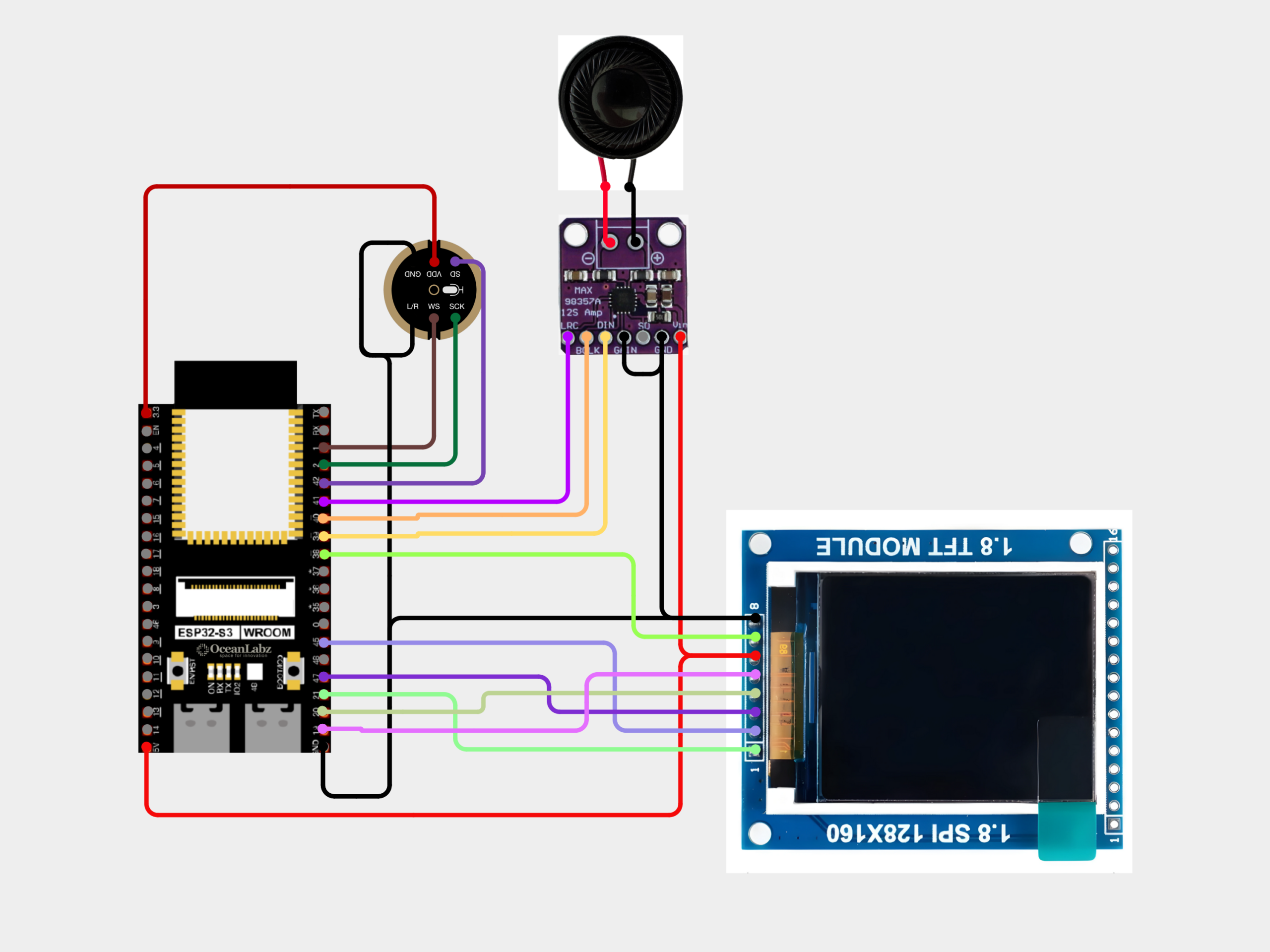
Circuit Connections
🎤 INMP441 Mic
VDD → 3.3V
GND → GND
L/R → GND
SD → GPIO42
WS → GPIO1
SCK → GPIO2
GND → GND
L/R → GND
SD → GPIO42
WS → GPIO1
SCK → GPIO2
🔊 MAX98357A Amp
VIN → 5V
GND → GND
LRC → GPIO41
DIN → GPIO39
GAIN → GND
BCLK → GPIO40
GND → GND
LRC → GPIO41
DIN → GPIO39
GAIN → GND
BCLK → GPIO40
📺 TFT Display
VCC → 5V
GND → GND
BL → GPIO38
CLK → GPIO19
DIN → GPIO20
D/C → GPIO47
CS → GPIO45
RST → GPIO21
GND → GND
BL → GPIO38
CLK → GPIO19
DIN → GPIO20
D/C → GPIO47
CS → GPIO45
RST → GPIO21
⚠️ Double-check all connections before powering on!
Flash Firmware (Browser-Based)
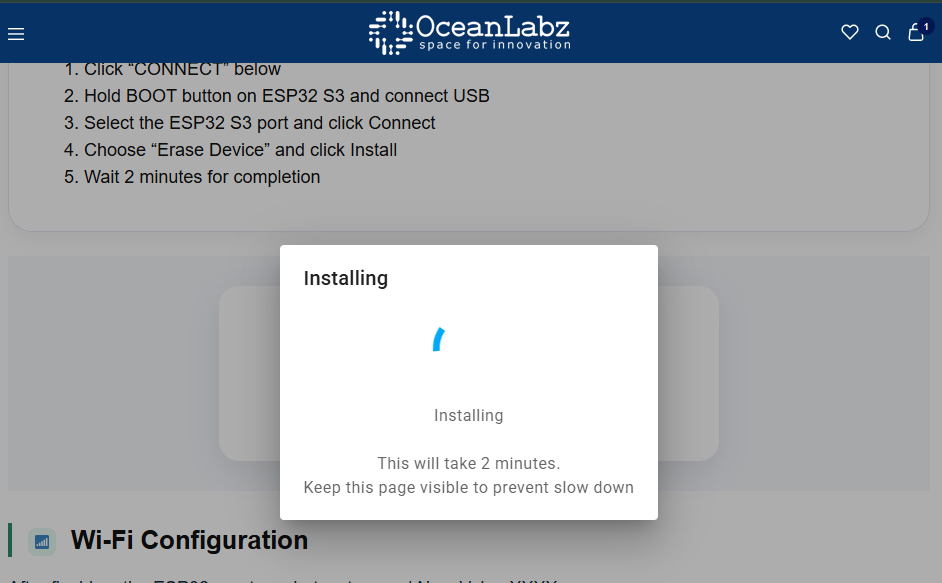
No Arduino IDE required — flash directly from your browser using Web Serial.
- Click “CONNECT” below
- Hold BOOT button on ESP32 S3 and connect USB
- Select the ESP32 S3 port and click Connect
- Choose “Install OceanLabz ESP32S3 TFT CAM” and click Install
- Wait 2 minutes for completion
ESP32S3 OV2640 CAM
ESP32S3 OV3660 CAM
ESP32S3 OV5640 CAM
Wi-Fi Configuration
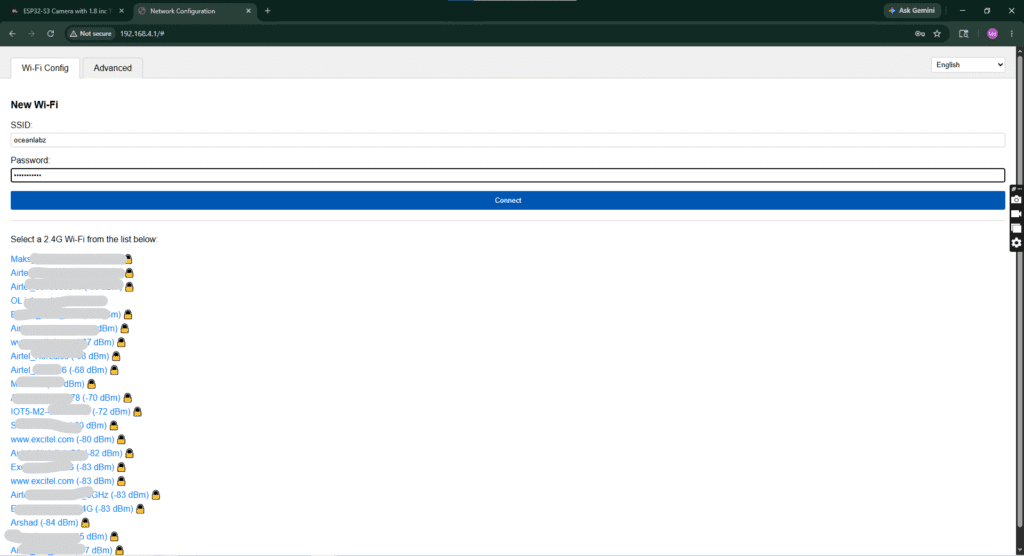
After flashing, the ESP32 creates a hotspot named Xiaozhi-XXXX.
- Connect to this Wi-Fi (no password)
- Open
192.168.4.1in browser - Select your home 2.4GHz Wi-Fi and enter password
- Device will restart and connect to your network
⚠️ ESP32 only supports 2.4GHz networks. Use a data-capable USB cable.
Create Account & Pair
1
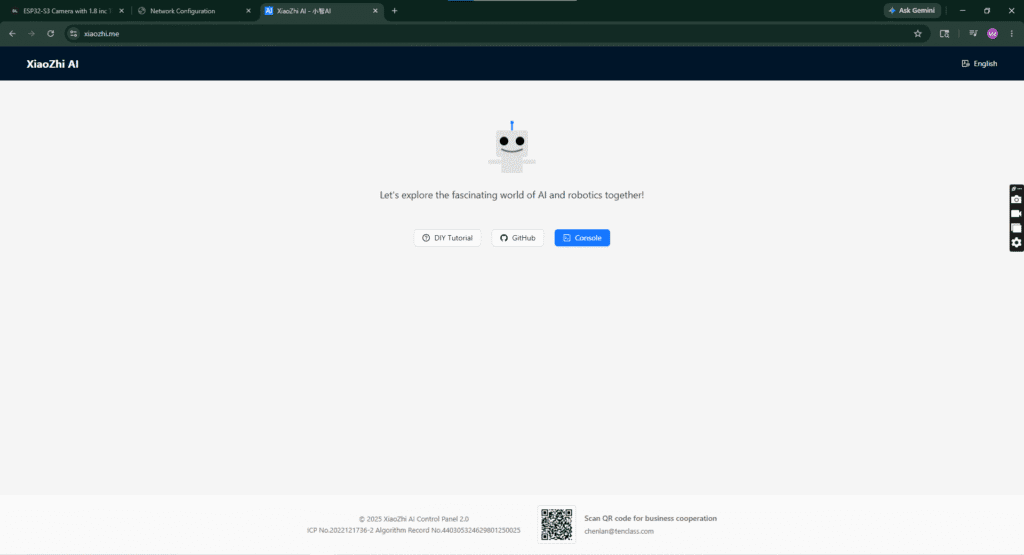
Reconnect to your home Wi-Fi (exit the XiaoZhi hotspot).
2
Open xiaozhi.me and click on “Console”.
3
Create a free account using Google Sign-Up (fastest method).
Pair Your ESP32 S3
1
Click “+ Add Device” in the console dashboard.
2
Read the 6-digit code scrolling on the TFT display.
3
Enter the code and click Confirm to link your device.
4
Accept the agreement and click “Start Using”, then select Open Source (Free).
⚠️ The code refreshes quickly — enter it as soon as it appears.
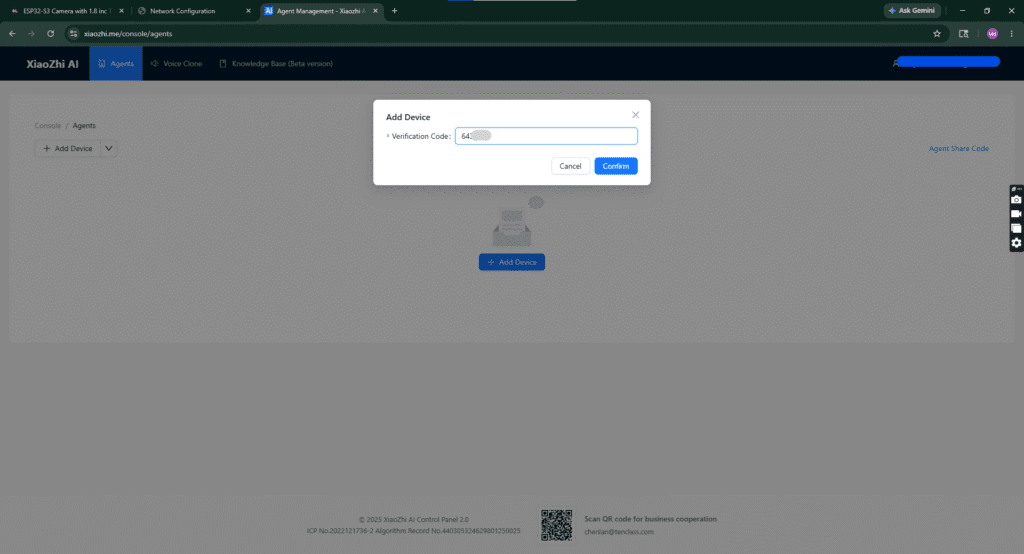
Device Paired Successfully!
Your ESP32 S3 is now connected and visible in the console dashboard.
Most Powerful Features & Voice Commands
📷 Capture image using ESP32-CAM
🧠 Send image to AI for analysis
🔊 Set volume to 50%
☀️ Increase brightness
🌧️ Check weather status
🎵 Play music
😉 Tell me a joke
📊 Get instant AI response
🎤 Press BOOT to activate
Auto-sleep after silence — press BOOT again to wake.
Comments (6)